
In today’s digitally driven world, online banking offers unparalleled convenience. However, this convenience comes with inherent risks. Protecting your financial information is paramount. This article outlines top security tips for safe online banking practices, empowering you to confidently manage your finances online while mitigating potential threats. Understanding and implementing these security measures can significantly reduce your vulnerability to fraud and identity theft. From creating strong passwords to recognizing and avoiding phishing scams, these tips will provide a solid foundation for secure online banking.
Safe online banking requires a proactive approach. By staying informed and vigilant, you can safeguard your sensitive financial data. This guide provides essential security tips that cover various aspects of online banking security, including account management, password protection, and recognizing common online banking scams. By adhering to these guidelines, you can confidently navigate the digital financial landscape and enjoy the benefits of online banking while minimizing risks. Secure your finances today by implementing these top security tips.
Using Strong Passwords and Authentication
Passwords are your first line of defense. Create strong, unique passwords for each of your online accounts, including your bank. A strong password should be at least 12 characters long and include a mix of uppercase and lowercase letters, numbers, and symbols.
Avoid using easily guessed information like your birthdate or pet’s name. Consider using a password manager to securely store and generate complex passwords.
Multi-factor authentication (MFA) adds an extra layer of security. Whenever possible, enable MFA for your banking accounts. This typically involves receiving a code via text message, email, or an authenticator app that you must enter in addition to your password.
Recognizing Phishing Attempts
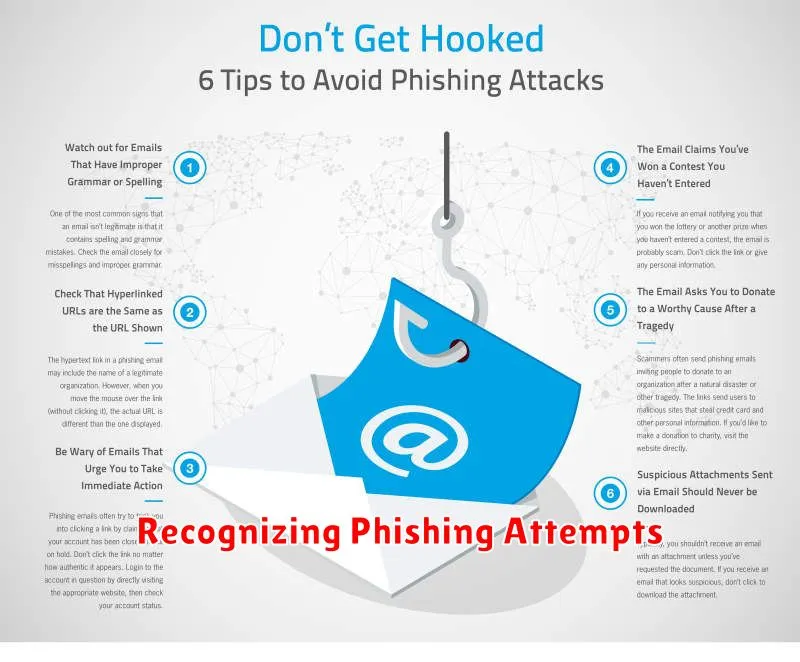
Phishing attempts are designed to trick you into revealing sensitive information. Be wary of emails, text messages, or website pop-ups that ask for your online banking credentials, social security number, or other personal details.
Key indicators of a phishing attempt often include poor grammar and spelling, a sense of urgency, generic greetings (e.g., “Dear Customer”), and requests for immediate action. Scrutinize the sender’s email address and look for discrepancies from official bank communications.
Never click on links or open attachments in suspicious emails or messages. Instead, access your online banking platform directly by typing the official website address into your browser.
Keeping Software Updated
Regularly updating your software is a fundamental aspect of online banking security. This includes your operating system, web browser, antivirus software, and any other applications you use for financial transactions.
Updates often contain critical security patches that address known vulnerabilities. Hackers frequently exploit these weaknesses to gain unauthorized access to systems. By keeping your software current, you significantly reduce your risk of becoming a victim of such attacks.
Enable automatic updates whenever possible. This ensures you receive and install the latest security enhancements promptly without manual intervention. Check for updates regularly even if you have automatic updates enabled, as some may require manual installation.
Using Secure Networks for Transactions
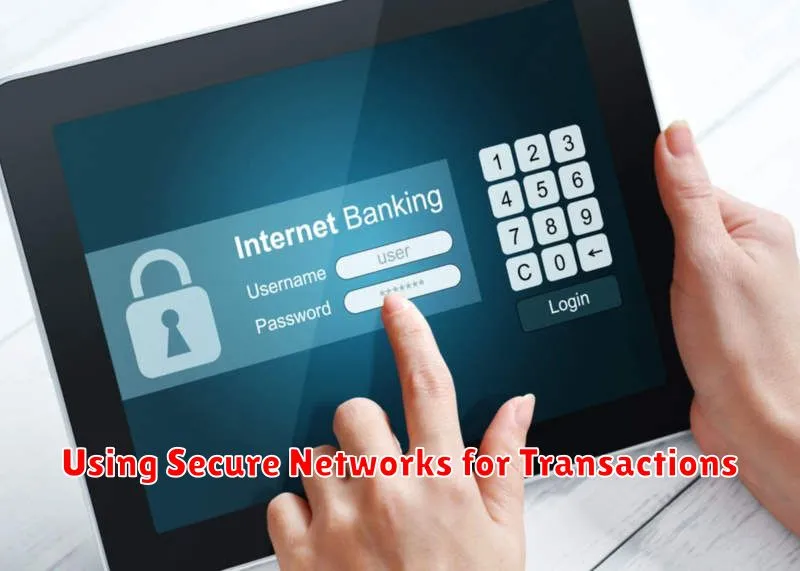
Avoid using public Wi-Fi networks for online banking. These networks are often unsecured, making your sensitive financial information vulnerable to interception by cybercriminals.
Prioritize using your private home network or a trusted cellular data connection. These offer significantly more security for your transactions.
If you must use public Wi-Fi, consider using a Virtual Private Network (VPN). A VPN encrypts your internet traffic, adding an extra layer of security.
Regular Monitoring of Your Accounts
Regularly reviewing your account activity is a cornerstone of online banking security. This allows you to quickly identify any unauthorized transactions or suspicious activity.
Make it a habit to check your account balance and transactions at least once a week, if not more frequently. Set up account alerts to receive notifications of specific activities, such as large withdrawals or password changes. These alerts can provide an extra layer of security and help you stay informed about what’s happening with your accounts.
Promptly investigate any discrepancies you find and contact your bank immediately if you suspect fraudulent activity.
